A short wile ago I wrote about my SDHC card getting corrupted. Read here: Fixing A Corrupt SDHC Card
I bought a couple of new ones from Amazon but then they seemed to have developed the same problem. I’m convinced now that it’s not the cards going bad but my card reader. I always use the card reader built into my “5.25 Media Dashboard” that I installed a few years ago. I wrote about this here: https://davescomputertips.com/how-to-transfer-pictures-computer-to-camera
Maybe it’s damaged maybe it’s just dirty, I’ll try to figure that out later. Luckily I have alternatives. One is my “USB2.0 All-in-1 Card Reader”. The only problem, it connects with one of those mini or micro USB plugins and I’m not sure where I have that plug stashed to right now. I’ll find it later.
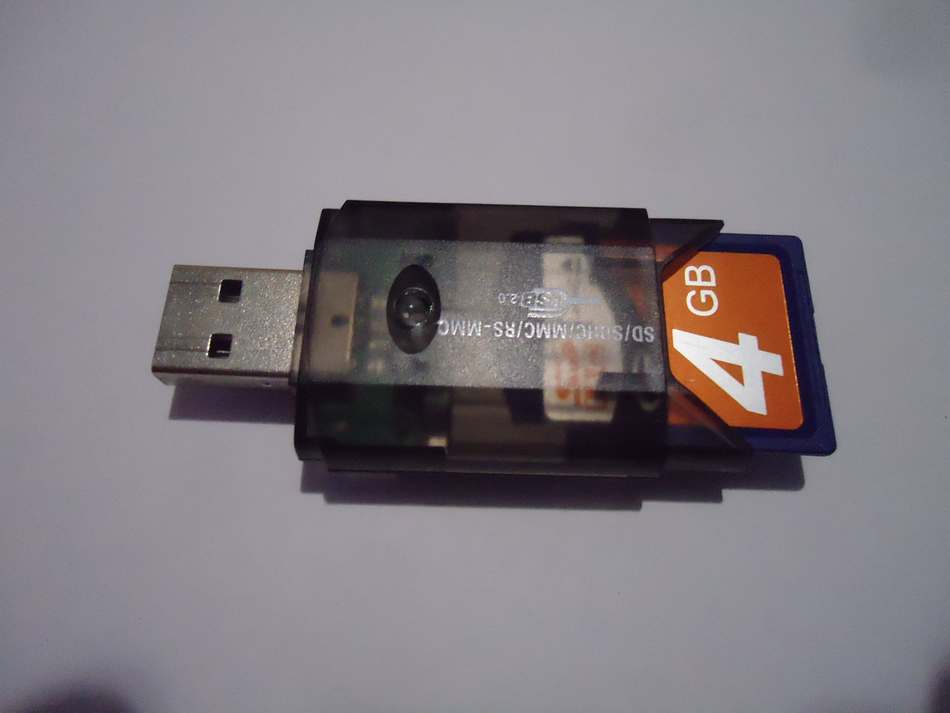
A few years ago I purchased a few card adapters that look like large flash drives. Of the three I have only one has a company brand named “CHATEAU”. You take the front and back caps off, slide in your SDHC card and then plug it into a USB port on your computer. Simple enough.
This is how I discovered it wasn’t the SDHC cards gone bad after all but I probably did corrupt my card while trying to fix it when it wasn’t even broken.
I was also going to mention having a “SanDisk microSD to SDHC adapter”. It allows to to place a “microSD” inside a “SDHC adapter” to place into a SDHC USB Reader. One small problem, the little right protect switch on the side (on the SDHC adapter) sticks out just enough so it will not fit into my USB adapter.
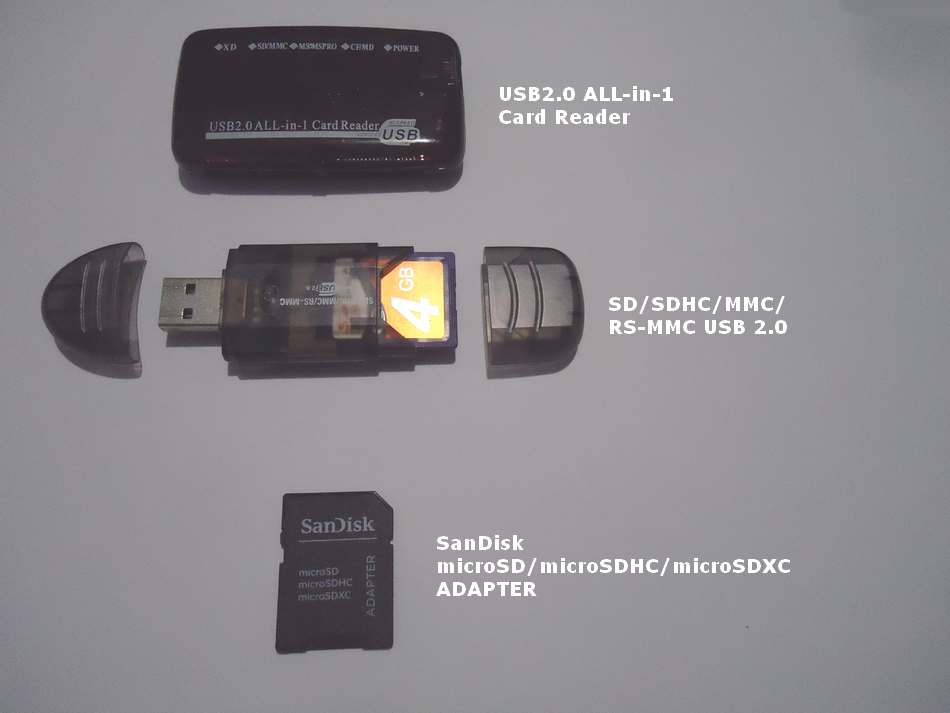
This is why people still believe in curses. :-) I took a pocket knife and carefully scraped the inside edge of my USB adapter in hopes of making a little grove just enough for the switch to pass through. I was successful. Now it fits no problem and works.
So, how has your tech been cursed today?