
A woman bought me her desktop computer. She said when she starts it up it starts beeping and then goes into Sleep Mode. Research Online indicates it might be a driver issue. One person claims to have solved the problem by cleaning off the motherboard. Overheating and dust?
This is a “Lenovo ThinkCentre M12P” Desktop.
So the first thing I had to do is to figure out how to open this case. I found a YouTube video here: Lenovo ThinkCentre M92p M91p Teardown
There is a blue switch that I have to slide and hold and then open from the top.
The cover comes up from the front but is connected at the back with hinge. Like lifting up the hood of a car.

It was pretty clean inside but I did notice a big problem and I was puzzled how it happened. There are four memory chips and two where not even plugged in. The two that where plugged in where in backwards so they didn’t go all the way into the memory slot.
Anyway, I put all the chips in the proper way in their proper slots and hoped they where not damaged. To get at the memory chips I first had to remove the hard drive bracket. This one was blue plastic with no screws. I just had to push on the tab on the outside edge and lift up.

The DVD bay also had a tab on the outside edge that I had to push in and lift up. I had to take off the front panel first just three plastic clips along the top edge of the case.

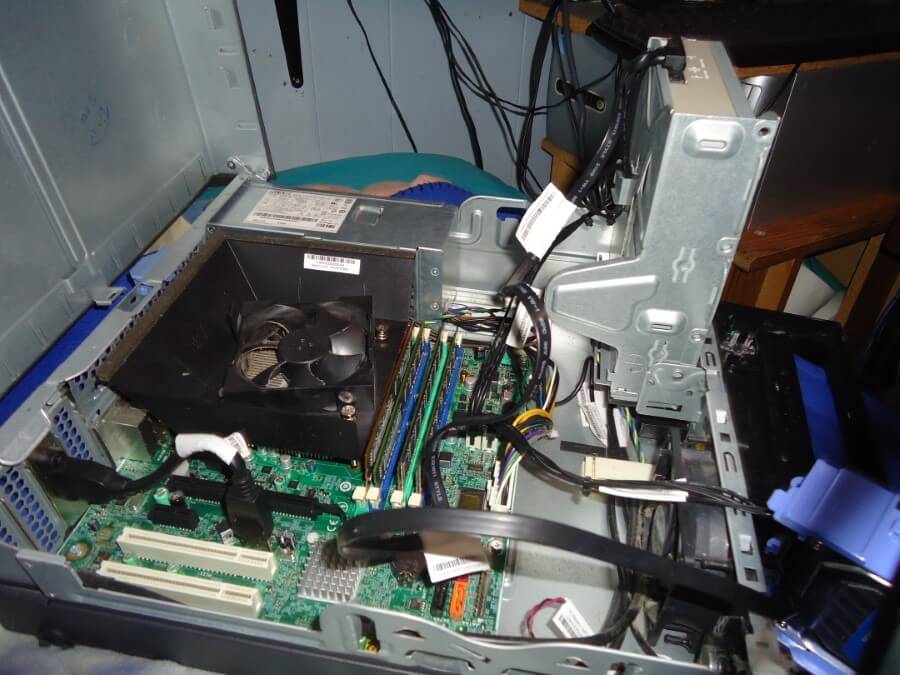
Like I said not much dust but I did use some compressed air to blow out around the CPU and fan. Made sure all the cables where in tight and memory chips where secure. Then I put everything back together. Hooked it up and it booted up with no problem. No beeps and No sleeping.
I ran Microsoft’s own memory checker just to be sure the chips where OK. No problems detected.
https://davescomputertips.com/how-to-test-your-computers-memory/
When she picked up her computer she told me she tried to fix it herself. That explains the memory chips. I believe that the original problem was that the memory chips needed to be seated again. Technically she fixed it half way by removing the chips but didn’t know how to put them back in.
The only other problem I noticed is when I plugged in the power cord to test the computer the power adapter on the computer seemed very loose. The reason was obvious. There where no screws holding in the power supply. Not one. Luckily I had some spares.