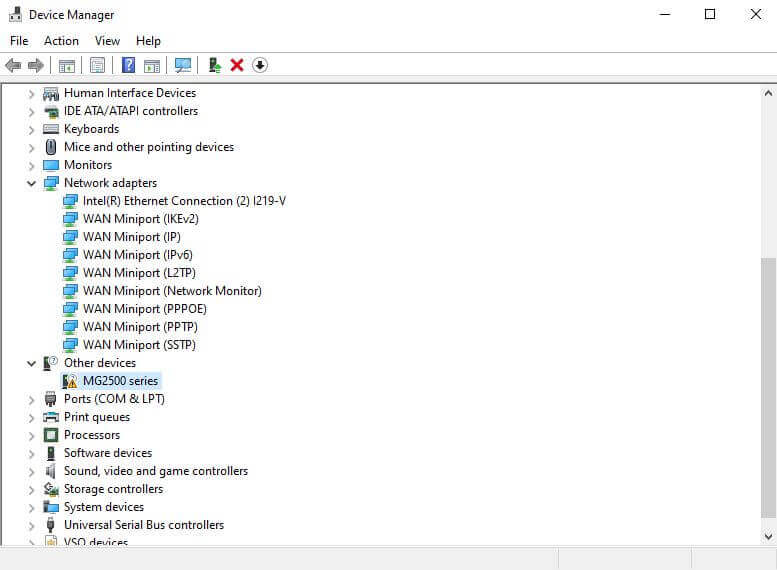
I decided to make my CyberPowerPC my main system switching over from my ASUS. A lit bit more power. That meant installing and setting everything up similar to the ASUS. I had no real problems until I tried to setup up my Canon PIXMA MG2525 printer.
In search I typed Printer and when “Printers & scanners” appeared on the menu I clicked on it. Then clicked on “Add a printer or scanner”. It could not detect my printer. I downloaded and installed the latest drivers from Canon but it couldn’t detect the printer either.
Switching the printer back to my ASUS everything worked fine.
I tried different USB cords. Tried plugging it into different USB ports but still nothing. The closest I got to it showing up at all in the device manager was when I plugged it into one of the front USB ports and it displayed as “Other devices: MG2500 series”. But the yellow, triangle exclamation mark told me it still wasn’t going to work.
I went through this procedure as described here: https://davescomputertips.com/how-to-fix-printer-scanner-settings-crashing/
For the record I had no issues accessing the printer settings as described. But still no luck.
Searching online, I was beginning to wonder if it was a USB port issue. Everything else worked plugged in, including my flash drives and my external Memorex DVD burner. It’s old but it still works.
I downloaded a program called “USBDeview” form www.nirsoft.net/utils/usb_devices_view.html
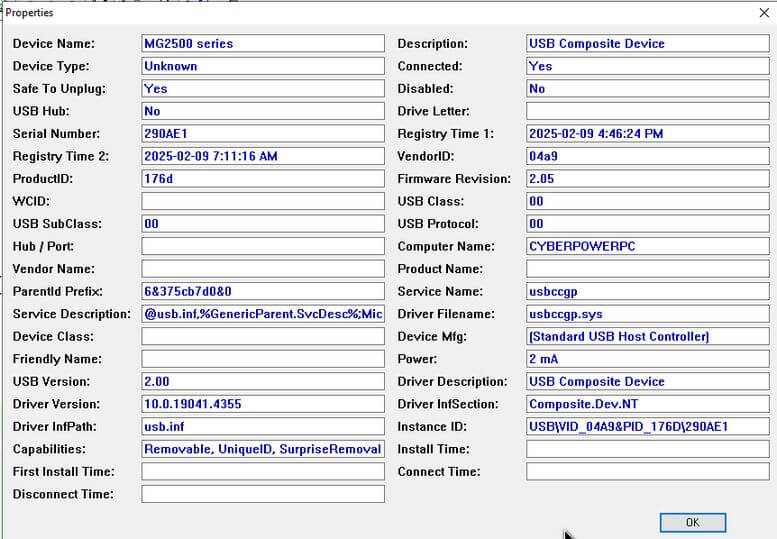
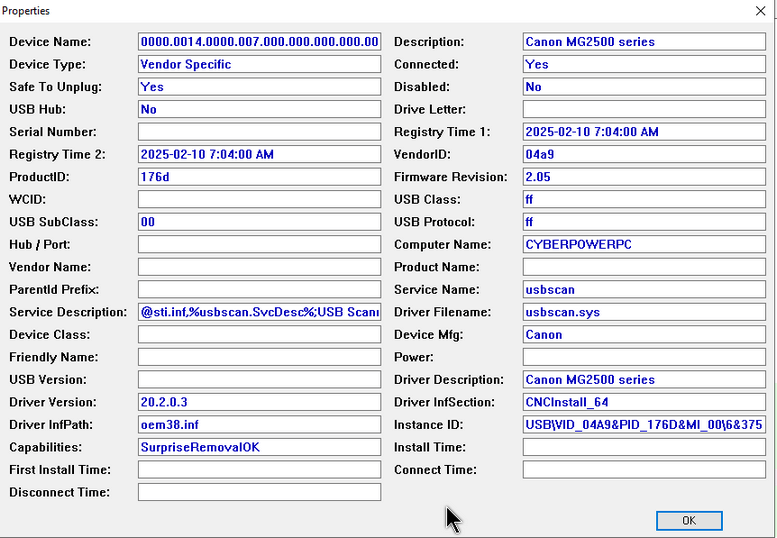
But honestly I wasn’t sure what to look for. I found a reference to my Canon printer and double-clicked on it. This is how it listed my Canon printer.
I plugged my Canon into my ASUS and using the same program I got this. I am now convinced it was a driver issue but how to fix it?
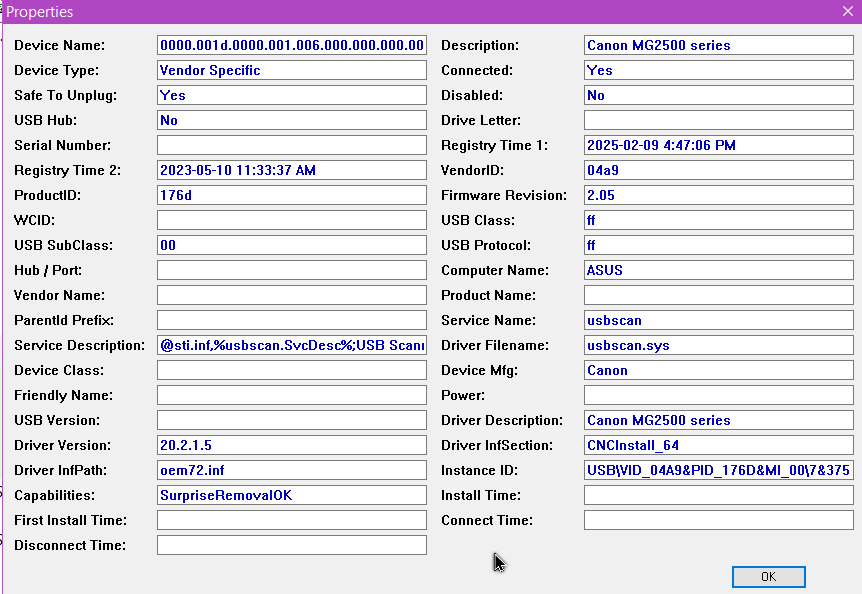
I noticed the “Driver Description” on my CyberPC is listed as a “USB Composite Device” and not as a “Canon MG2500 series” as listed on my ASUS.
So here is what I did. Spoiler alert. IT WORKED.
I used “Revo Uninstaller” from www.revouninstaller.com to remove every Canon entry it could find.
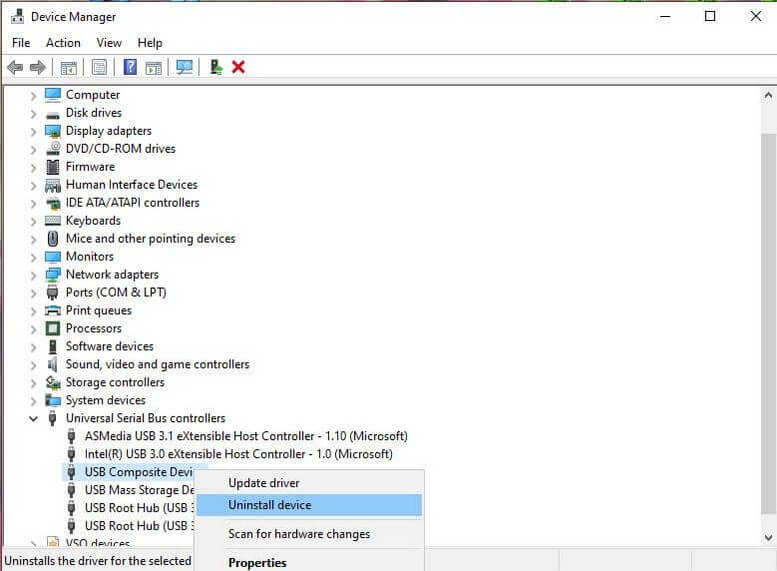
I again jumped through the loops of my previous article mentioned above. But before restarting I went to the device manager and removed the “USB Composite Device” by right-clicking on and the clicking on “Uninstall device”.
I unplugged the printers USB cable from my computer. When installing devices like printers its usually recommended to install software first and plug in after.
I restarted my computer.
I found out also I have the original driver CD that came with the printer. I tried these previously but they still didn’t work. I’m going to give them another shot. I ran the install from CD. Only plugged in the printed when it requested. My Canon CD tries to install a lot of bloatware but I just selected the drivers.
Then ... plugging in the printer and it worked. Here is what my Canon printer looks like now as described from USBDeview. Very similar to the ASUS install.
I would have shared the printer through the network but that still is a nightmare that I have yet to work out.