After a winter storm (I originally wrote this back in Novemeber or December) we had a power outage that lasted almost 20 hours. Not good in an apartment with only electrical heat. No lights, no heat, can't go online to complain to anyone. :-)
I wrote before concerning someone not being able to turn on their computer after an outage. The fix: unplug computer, hold power button for 30 seconds, plug back in, and turn on. They called again after the latest outage, that procedure wasn’t working anymore and their computer wasn’t powering up.
I tried different cords and power outlets. I don’t have any experience in electronics so any type of deep troubleshooting is off the table. I have a bunch of old power supplies and found one that was compatible with this system. Without removing the old power supply from the case, I only removed the plugins to the motherboard and plugged in this possible replacement.
The system powered up, so I took out the non-working unit and put in the working one. Their computer is up and running again.
I have an older Gateway tower that I use for backup purposes and when I went to turn it on, it wouldn’t power up.
I thought I would have to replace this one as well until I remembered what happened. Some power supplies have little switches on them. The one in my clients computer didn’t have a switch but my Gateway does and I remember now turning it off on purpose. Before the power outage, the power started blinking on and off until it eventually stayed off.
Even though I didn’t have my Gateway on at the time, every time the power came on the computer would power up. I was concerned about possible damage to the system and it was getting annoying. I flipped the switch.
There might be a setting in the BIOS to control that behaviour.
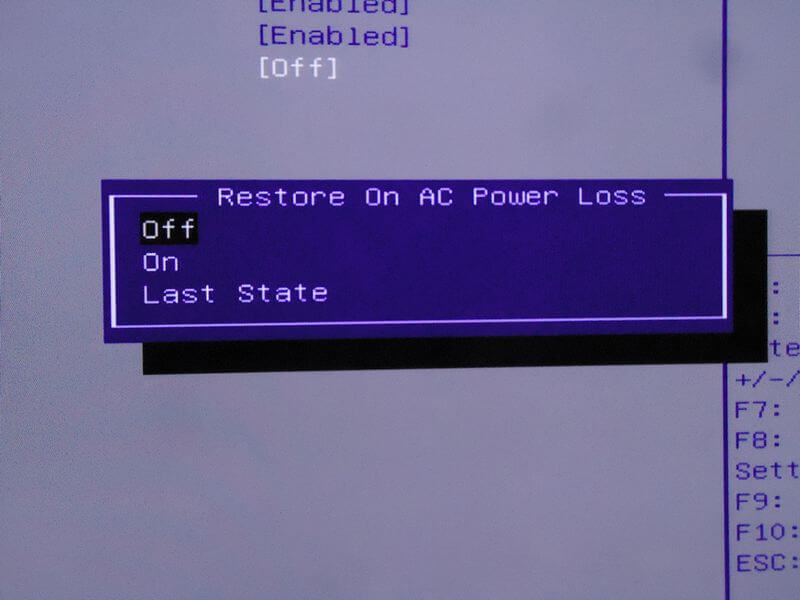
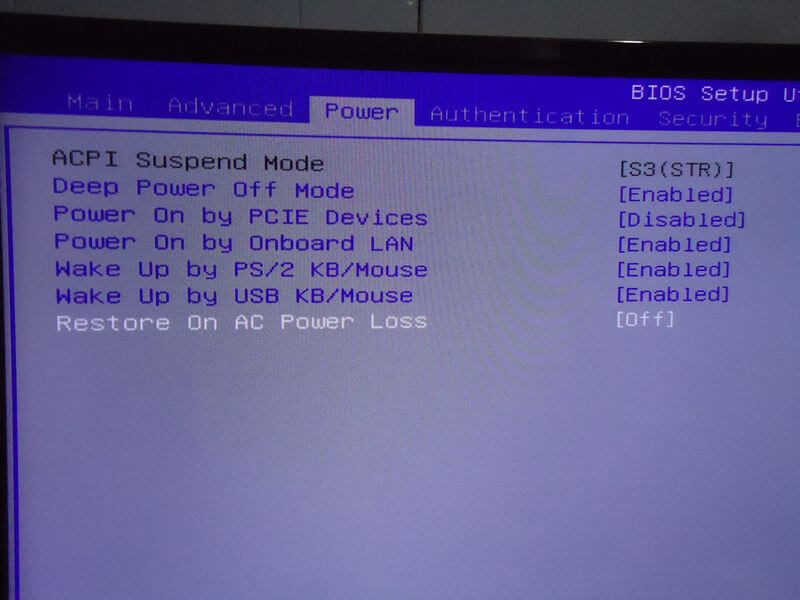
I went into the BIOS settings by pressing the “delete” key during the boot up. Went into the “Power” setting and found the “Restore On AC Power Loss”.
It was set to “Last State”. Highlight that line and press "Enter. I set it to “Off”. Remember to “Save & Exit Setup” or “F10” and confirm, “Yes”. Hopefully that will do it.