I had my old Gateway desktop decommissioned for a spell. But I going to hook it up again and put it on my network for backup purposes. Like my own NAS.
One problem arose, my computer desktop was to big to fit the TV screen. (42inches Element). I could only see the very top edge of the taskbar. I went to the Windows display properties but no combination of adjustments fixed the issue.
This computer, like most of my tech is from the stone ages. :-) My display driver is listed as an “AMD Radeon R9 200 Series” and I have the “AMD Radeon Software” installed.
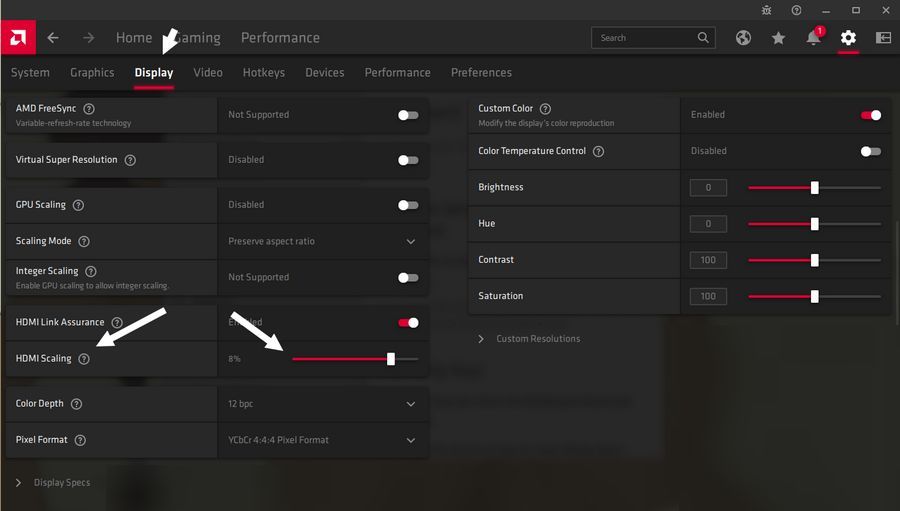
I could still navigate the taskbar by slowly moving my mouse over it and reading the pop up bubbles (not sure what to call them). I clicked on the Start button and in the start menu I searched for the AMD Software.
I managed to get the software open and clicked on the “Display” tab. I wasn’t sure what to look for exactly but while scanning down through the options available I saw “HDMI Scaling”. I clicked on the little slider and dragged it to the right. I set it at 8%.
Problem solved.