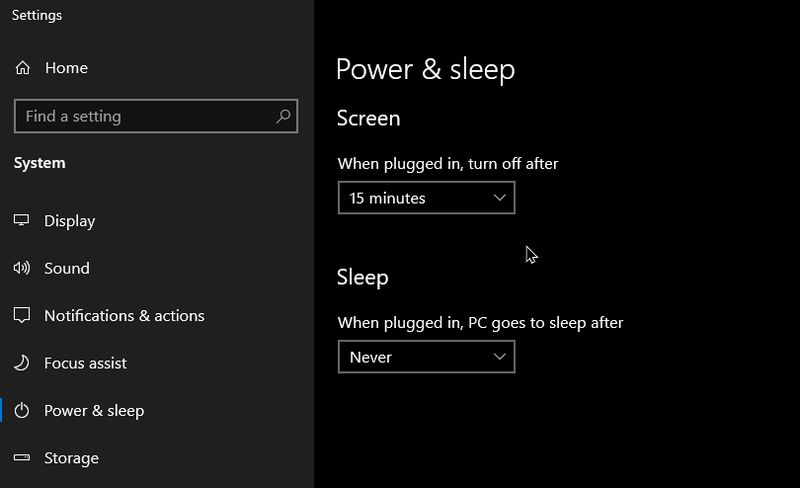
I usually set my desktops to power down the monitors after 15 minutes when my system is not in use, but the monitor hooked up to my Asus computer stopped powering down.
You can get to these power settings by typing “power” in search. (Win10)
Click on the “Power & sleep settings” when it shows. In the settings window make sure “Power & sleep” is selected on the left-hand side of the menu. On all my desktops I select the “Screen” time to “15 minutes” and “Sleep” to “Never”.
Now, I have three monitors on my computer desk hooked up to three desktops. I have two keyboards, side by side. One hooked up to my CyberPC and one hooked up to my Asus. My two main monitors are hooked up to my CyberPC (dual) and the other hooked up to my Asus. My Gateway is hooked up to my first main monitor which I can view by changing the “Input” of that monitor. (works for me :-))
Most of the time only my Asus and CyberPC are powered on.
So the monitor hooked up to my Asus computer stopped powering down for some reason. Never gave it much thought at first. Then I stopped being lazy and went into the settings to see if I could work out the problem.
When I clicked on the Start button to open search I noticed this. A stream of stars recurring over and over. I first thought a stuck key, but no. With all the other junk on my desk, which includes a printer, modem, switch, cable box. For some reason, 5 computer mice or mouses?? Two keyboards. Other junk.
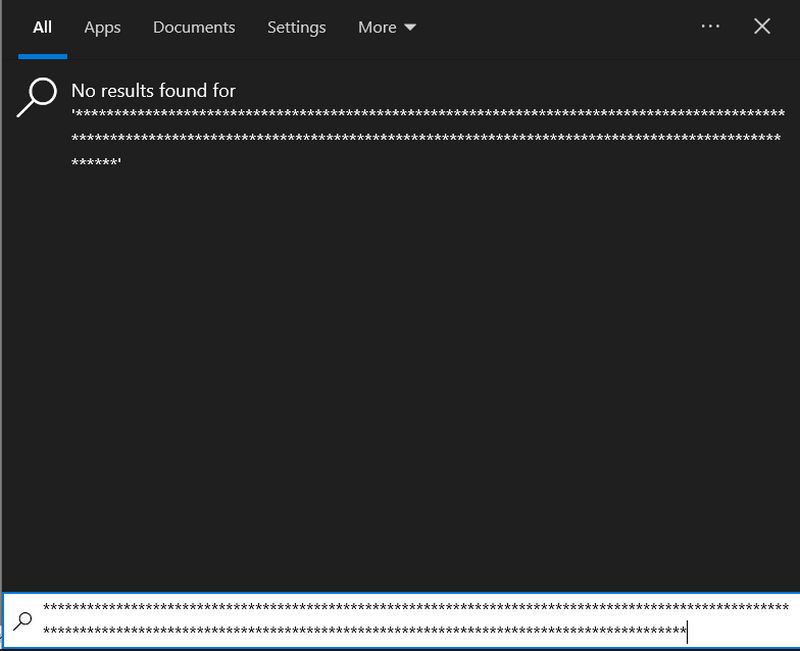
The keyboard for my CyberPC was resting on top of the keyboard for my Asus. Pressing on the “star” key on the number pad of that board. So, how as your day been?
Yes, I need to invest in a decent KVM. I had a few in the past but they for some reason sucked at sharing the keyboard and mouse. Two of them have conked out completely. I know there are software options. Tried one at one time called “Mouse without borders” - www.microsoft.com/en-us/download/details.aspx?id=35460
As of this writing, it's still available.
It stopped working. I assumed because Microsuck can’t find my network half of the time. A rant for another time. :-)