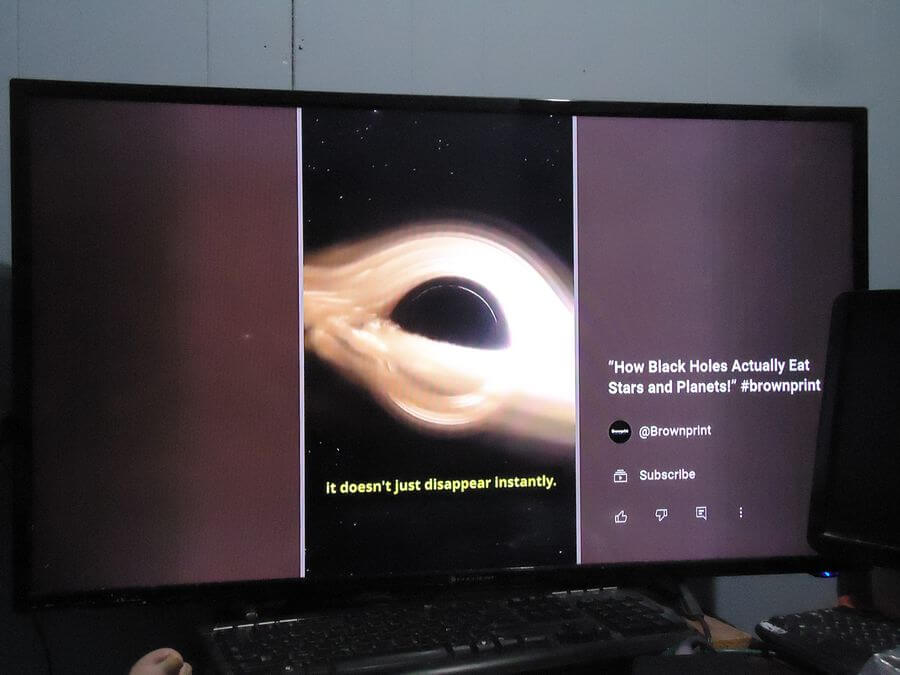
YouTube Shorts are short videos under 3 minutes each. They must be in vertical format with a 9:16 aspect ratio.
I first avoided playing them because I didn’t know how to stop them without exiting out of YouTube altogether. A little button pushing later on the remote and I think I have it figured out.
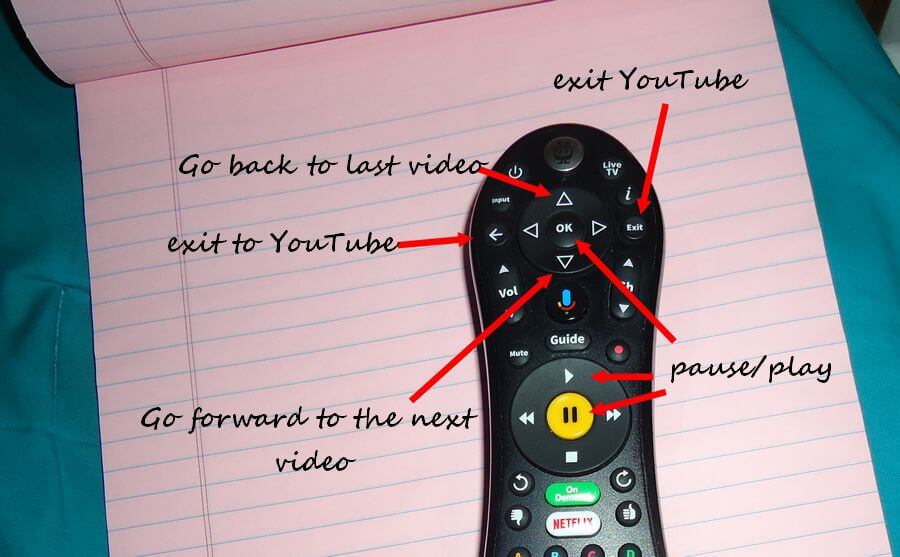
I can’t stop the videos except for pausing them, either using the “pause” button (big yellow one) or using the “OK” button.
If you are playing a video and do nothing the video just keeps repeating over and over. It would be better if they went to the next video in the sequence.
Using the arrows at the top of the remote, around the “OK” button, the “up” arrow scrolls back through the videos available, while the "down" arrow scrolls you forward.
The “right arrow” takes you to the menu on the side. There you can like, share and whatever. The “left arrow” does nothing except move you back from the right-hand menu.
The exit button exits you from the YouTube app. To go back to YouTube without exiting you need to press the “back” button.
The “OK” button acts as a “pause/play” button. You can also use the yellow pause button to pause a video and the play button (triangle) to start it playing again. The fast forward, rewind and stop button (square) do nothing.
This is how it works on my current system. Operations may vary from service to service.